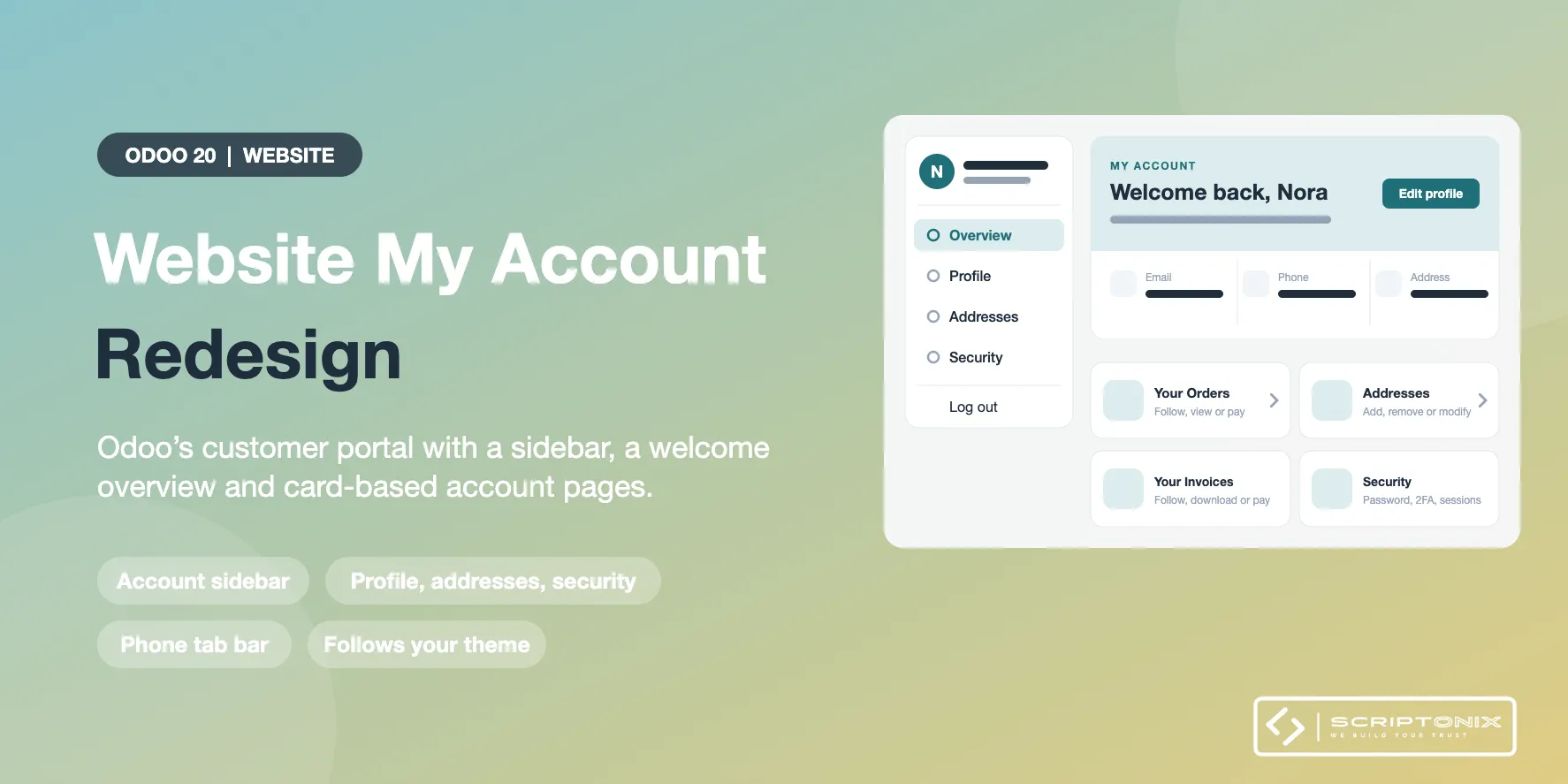
Odoo already gives every customer a "My Account" area on the website: the document cards, the account details form, the address list and the security page. This app keeps all of them and gives them one clear layout: a sidebar with the account pages, a welcome overview and card-based forms. Odoo's own pages, forms, routes and access rules do the work; the app changes how they look. Install it and the portal follows your website theme straight away.
Key Features
- Account sidebar navigation — A sidebar with avatar, name and email leads to Overview, Profile, Addresses, Security and Log out.
- Welcome overview — A personal welcome header with email, phone and address at a glance, followed by the document cards of your apps (orders, invoices...) with icons, counters and a "Quick access" title.
- Profile with photo — The account details form with the profile photo on top (Change and Remove) and the fields grouped into Contact information, Address and Business details.
- Address card grid — Delivery and billing addresses as a responsive card grid with the edit and remove actions.
- Clear security page — Password, two-factor authentication, passkeys and sessions each in their own card, with account deletion in a highlighted danger zone.
- Mobile tab bar — On tablets and phones the sidebar becomes a compact tab bar that wraps when the screen is narrow, so every account page stays one tap away.
- Follows your theme — Colours, fonts and corners come from the website theme; the portal card options of the website builder keep working.
- Built on Odoo's own pages — Template inheritance only, no controller and no data model: Sales, Invoicing, two-factor authentication and passkey blocks keep working.
Benefits
- A customer account area that looks as polished as the rest of your website
- Customers reach their profile, addresses and security settings in one click
- Works on desktop, tablet and phone, in every website language and on every website
- No configuration: install and it is live
- No change to portal data, routes or access rights
Ideal For
- eCommerce stores that want a professional customer account area
- B2B portals where customers manage orders, invoices and addresses
- Service companies sharing documents with customers through the portal
- Agencies delivering branded Odoo websites
Technical Highlights
- QWeb inheritance of the standard portal templates; no route, controller or model is added
- One SCSS file scoped to the account pages, built on the website theme variables
- Account pages: /my, /my/home, /my/account, /my/addresses, /my/address, /my/security (also with a language prefix such as /fr/my)
- Other portal pages (orders, invoices, tickets...) and the checkout keep the standard layout
- Depends on website only; Community and Enterprise
Supported Odoo Versions
- Odoo 19
- Odoo 20