Website Product 3D Viewer for Odoo eCommerce
Turn flat product photos into interactive 3D product views. Upload a 3D
model (.glb / .gltf) on any product and your shop product page shows a
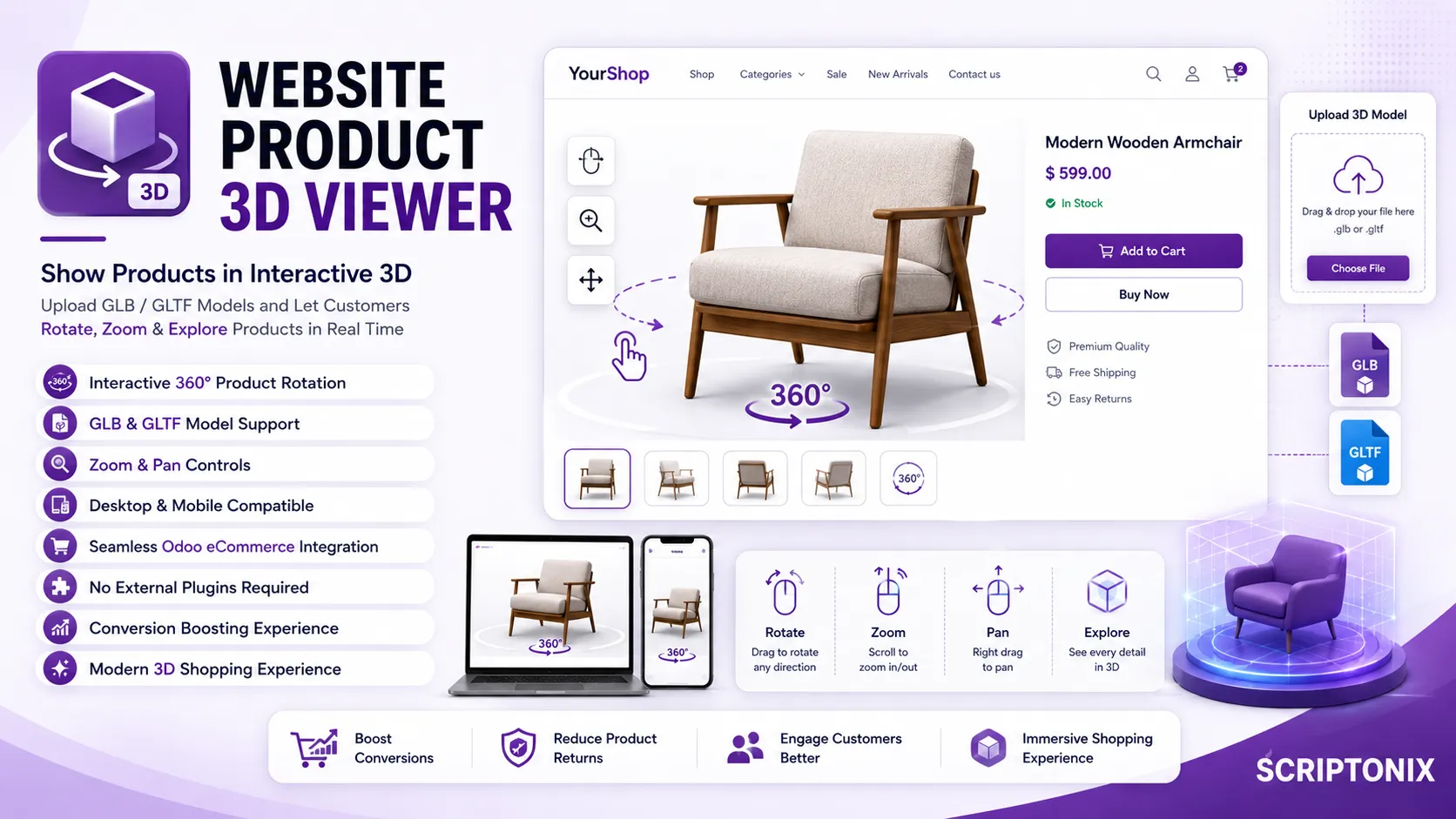
real-time 3D viewer where customers can rotate the model 360°, **zoom in
and out, and pan** — straight from the browser, no plugin required. Powered
by Google's battle-tested <model-viewer> web component (bundled locally, so
it works offline for your visitors).
Keywords
3D product viewer, 3D model, GLB, GLTF, 360 product view, interactive product,
rotate product, zoom product, eCommerce 3D, online shop 3D, three.js,
model-viewer, product configurator, immersive shopping, website sale 3D.
Key Features

- 3D model upload — a dedicated *3D Model* tab on the product form accepts
.glb and .gltf files.
- Interactive viewer — drag to rotate (left / right / up / down), scroll to
zoom, right-drag to pan; works on desktop and mobile.
- 360° product experience — let shoppers inspect products from every angle
to boost confidence and reduce returns.
- Works offline — the
<model-viewer>library is vendored in the module,
so no external CDN call is needed at runtime.
- Graceful fallback — products without a 3D model keep the standard image
carousel; the 3D viewer only appears when a model is set.
- Secure delivery — model files are served only for published products.
Perfect For
Furniture, fashion, footwear, electronics, jewelry, toys, machinery and any
online store that wants richer, more engaging, conversion-boosting product pages.
How To Use
1. Open a product and go to the 3D Model tab.
2. Upload a .glb (recommended) or .gltf file and publish the product.
3. Visit the shop product page and rotate / zoom / pan the model with the mouse.
Tip: export models to .glb from Blender (File > Export > glTF 2.0) or generate
them from photos with free image-to-3D tools, then upload.